
Home
Whole-Food Liquid Meals With the Ability to Track Daily Caloric Intake, Macronutrients, and Micronutrients.
Today’s Snapshot
Your Dietary Restrictions
Active rules applied to today’s meals, the weekly plan, and your grocery list. Manage full list in Settings.
Daily Meals
Your weekly and daily plans are generated automatically. Rotate any meal if you want a new variation. Nutrition totals follow today’s meals.
Today’s Nutrition
Calories, macros, and micros from today’s liquid meals — with per-ingredient breakdown.
Weekly Meal Plan
5-day liquid meal plan · ≤2 meals/day · 2–5 whole-food add-ins · endless variations · step-by-step instructions
Create Your Own Meal
Name your blend, pick a liquid base, search whole-food ingredients, and add 2–5 items that match your dietary restrictions. Optionally set serving size, total calories, macronutrients, and micronutrients.
Ingredients In This Meal
Serving Size
How large is one serving of this meal? Units: grams, ounces, milliliters, or liters.
Nutrition Per Serving
Enter your own values, or estimate from the selected ingredients. Leave blank to use ingredient estimates when you save.
Total Calories
Macronutrients
Micronutrients
My Custom Meals
This Week’s Plan
Grocery List
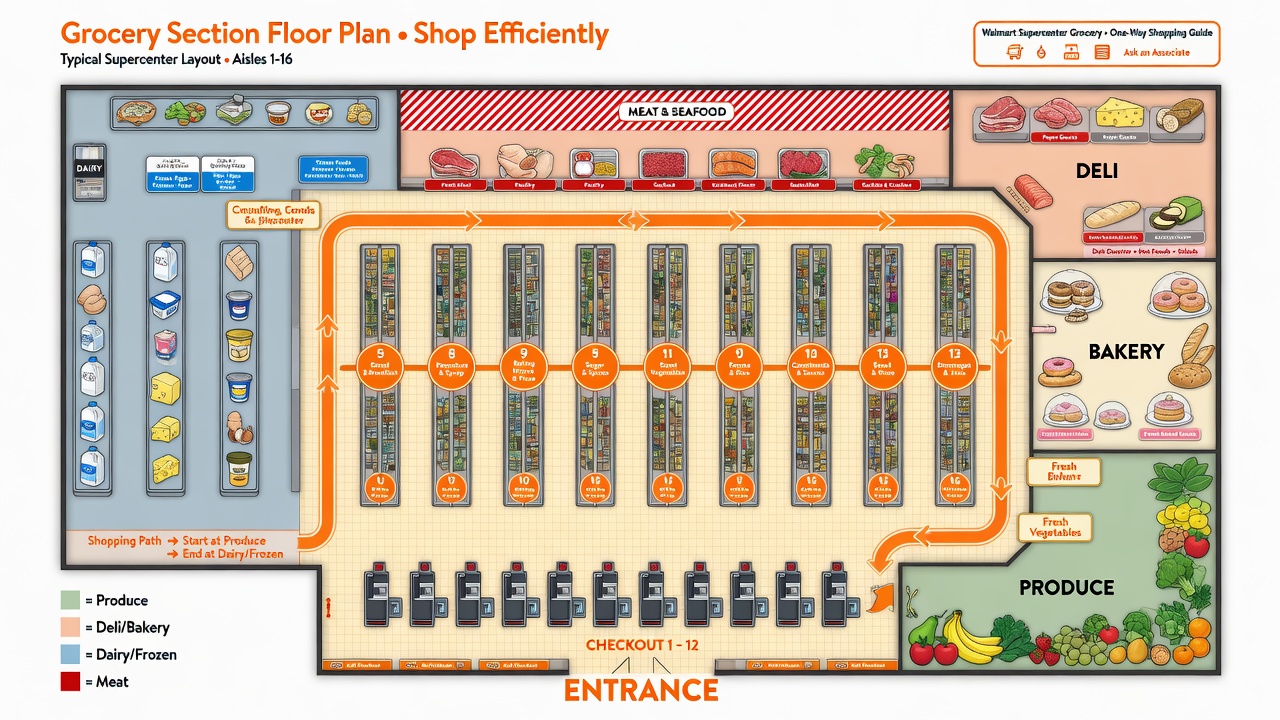
Built from your weekly meal plan. Each item includes aisle navigation (Walmart & WinCo), side of aisle, depth along the aisle, comparable unit cost, and line total. Costs are approximate educational estimates.
Store layout map
Nutrients
Track calories, macronutrients, micronutrients, water, and fiber from your meal plan plus manual water/fiber logs.
Calories & macros
Fiber
Water intake
Includes estimated water from liquid meals plus water you log.
Micronutrients
Daily goals
Customize targets for calories, macros, fiber, and water.
Plan overview
Add Custom Ingredient
Create your own whole-food ingredients with calories, macronutrients, micronutrients, and water. They appear in Quick Search, custom meals, meal plans, and grocery lists.
Calories & Water
Macronutrients
Micronutrients
Allergen & Diet Flags
Uncheck if this ingredient is free of the item (checked = free / allowed). Affects meal plans when those restrictions are active.
My Custom Ingredients
Edit or delete ingredients you have added. Nutrition values are used in meals and daily totals.
Dietary Restrictions
Check what you avoid. Checked items are blocked from daily meals, the weekly plan, custom meals, Quick Search, and your grocery list. Add custom keywords to exclude specific foods. Changes save on this device.
Account
Local account on this device — profile picture, password recovery, and sign-out.
Job Scheduling
Run a daily “job” on this device while LiquidFloodie is open in your browser (or installed PWA). At the time you set, the app can toast a blend reminder, optionally rotate your weekly meal plan and rebuild the grocery list, and show a system notification if you allow it.
- When it runs: once per calendar day, when the clock matches Hour + Minute (checked about every 30 seconds while the app is open).
- Reminder: shows an in-app toast; with Web notifications enabled (and permission granted), also shows a browser/OS notification.
- Auto-rotate: when the job fires, rotates all weekly meals and refreshes the grocery list (same idea as “Rotate All Meals”).
- Device-only: jobs do not run in the cloud—keep this tab or PWA open (or reopen it near the scheduled time) so the timer can fire.
Recent job runs
History of reminders and auto-rotates saved on this device (newest first).